Diagnostics €10 · no registration required

Subaru navigation disc and map update

Subaru navigation DVDs with Lithuanian and European maps for C1, C2 and US systems, as well as SD card updates for IGO Harman Kardon systems. The latest maps are offered with a 1-year warranty.

Subaru car navigation screen with a map C1, C2, USA, IGOSystems Warranty on work
C1, C2, USA, IGO
Systems
10 €
Initial diagnostics
1 year
Warranty on maps
Mon–Fri 9–18
Opening hours

4 service points – bring it to the nearest one

  1. Vilnius Kareivių g. 11A, Žirmūnai +370 679 74770
  2. Каунас Baltijos g. 58, Šilainiai +370 656 95553
  3. Клайпеда Sausio 15-osios g. 13 +370 617 77731
  4. Šiauliai Gegužių g. 30, PC „Arena“ +370 659 83704
  • No appointment needed
  • Diagnostics €10
  • Mon–Fri 9–18
  • All contacts

Subaru navigation disc with maps of Lithuania and Europe is offered for four groups of systems: C2 (Denso) with DVD, C1 with DVD, systems from the USA with DVD, and systems with an IGO Harman Kardon SD card. Lithuania is shown in detail, while the surrounding countries and the rest of Europe are on separate discs. The latest maps are offered, a 1-year warranty is provided, and the service is available in Vilnius, Kaunas and Klaipėda.

The most important thing is to know which navigation system is installed in your car, because each system requires a corresponding disc or card. Below you will find compatibility tables by model and year of manufacture. General information about systems of other brands is on the navigation update page.

  • How much does diagnostics cost? Initial diagnostics costs €10. The update price is agreed before the work.
  • What warranty is provided? The maps come with a 1-year warranty.
  • Where are the maps available? In Vilnius, Kaunas and Klaipėda. The service points are open Mon–Fri 9:00–18:00.
  • Do I need to register? No, just come in during opening hours.

Common Subaru navigation problems

Below are general symptoms that Subaru navigation users encounter. The exact cause is determined by diagnostics.

01

The navigation does not detect the disc

WhyMost often it is a disc that is not suitable for the specific system, a dirty or scratched disc, or a problem with the DVD reader.

Check it yourselfCheck that the disc matches your system and model year, and that it is clean.

What we doDiagnostics shows whether the problem is in the disc or in the reader.

02

Old maps, new roads missing

WhyThe maps have not been updated for several years, so new roads and traffic layouts are not displayed.

What we doThe maps are updated using discs or, in IGO systems, on the original SD card.

03

SD card is not readable

WhyThe card may be damaged or corrupted.

Check it yourselfCheck that the card is firmly inserted in the slot.

What we doAfter diagnostics, we decide whether the card can be updated.

Prices

Initial diagnostics costs €10, and the price of the map update depends on your system.

ServicePriceWarranty
Initial diagnostics10 €–
The final price is given after diagnostics and agreed before the work.

Myths about Subaru navigation maps

  • Myth. One disc fits all Subaru models. In fact. Each system (C1, C2, USA, IGO) requires a corresponding disc or card, and compatibility depends on the model and year of manufacture.
  • Myth. One disc is enough for all of Europe. In fact. The maps are divided across several discs, and detailed Lithuania is on the third disc.
  • Myth. You need to buy a new SD card. In fact. For IGO Harman Kardon systems, the original working SD card is updated.

C2 (Denso) systems with DVD

These discs are designed for Subaru vehicles with a C2 (Denso) navigation system and a DVD reader. The maps are split across three discs, so you can choose according to where you are travelling.

The first disc covers Western and Northern Europe: Austria, Belgium, Switzerland, the Czech Republic, Germany, Denmark, Spain, France, Finland, Italy, Ireland, Norway, the Netherlands, Portugal, Sweden, the United Kingdom and other smaller countries. The second covers Andorra, France, Ireland, Monaco, Portugal, Spain and the United Kingdom. The third covers Eastern and Central Europe, including detailed maps of Lithuania, Latvia, Estonia, Poland, Ukraine and Turkey.

  • Subaru Forester from 2007
  • Subaru Impreza from 2008
  • Subaru Legacy from 2007
  • Subaru Outback from 2007

If you are travelling to Poland or the Baltic states, the third disc is the most important one for you, as it contains a detailed map of Lithuania.

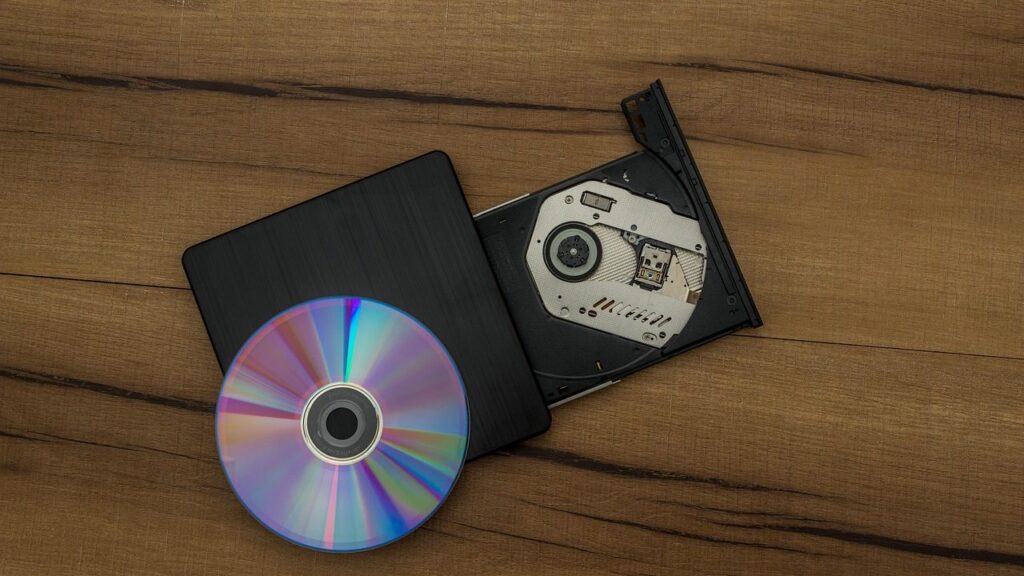
Navigation DVD and SD card

C1 systems with DVD

C1 systems were installed in older models. The disc sets and country lists are the same as for C2 systems: three discs with maps of Western, Southwestern and Eastern Europe, with Lithuania shown in detail.

  • Subaru Forester 2003–2007
  • Subaru Impreza 2003–2007
  • Subaru Legacy 2004–2007
  • Subaru Outback 2006–2010
  • Subaru Tribeca from 2007

US systems with DVD

For vehicles imported from the USA, separate map discs with maps of Lithuania and Europe are available. According to the source, they are suitable for Subaru Forester, Impreza, Legacy, Outback and Tribeca models, but the specific years of manufacture are not specified.

Since US-market systems differ from European ones, it is worth checking which system your car has before choosing a disc.

IGO Harman Kardon systems with SD card

In newer Subaru vehicles from the USA with the IGO Harman Kardon system, the original working SD card is updated. It is updated with the latest maps of all of Europe and Russia. This option is only suitable for Subaru vehicles from the USA.

  • Subaru Impreza and Impreza WRX from mid-2012
  • Subaru BRZ from mid-2013
  • Subaru XV Crosstrek from mid-2013
  • Subaru Forester from mid-2012
  • Subaru Legacy and Outback from mid-2013

Your original SD card is updated, so it must be in working condition.

How to choose the right disc or card

First, look up your model and year of manufacture and compare them with the tables above. Then find out whether your car is European or from the USA, and whether the system has a DVD reader or an SD card slot.

If you are in doubt, come to the service centre during working hours. There is no need to register or call in advance.

Where and when you can visit

Subaru navigation maps are offered in Vilnius, Kaunas and Klaipėda. The service centres are open Monday to Friday from 9:00 to 18:00 and closed at weekends.

Read more about updating maps in the articles Kaip atnaujinti automobilio navigaciją and Navigacijos žemėlapių atnaujinimas 2026.

Before you visit

  • Know your model and year of manufacture
  • Find out whether your car is European or from the USA
  • Check whether the system has a DVD reader or an SD card slot
  • If you have an SD card, bring it with you
  • Come Mon–Fri 9:00–18:00

How to get new maps

  1. Identify your system. Check the model, year of manufacture, and whether the system uses a DVD or an SD card.
  2. Visit the service centre. In Vilnius, Kaunas or Klaipėda during working hours, Mon–Fri 9:00–18:00. No registration required.
  3. Discuss the price. The initial diagnostics cost 10 €, and the price is agreed before the work begins.
  4. Get your maps. You receive the latest maps with a 1-year warranty.

Frequently asked questions about Subaru navigation

Which Subaru navigation disc is suitable for my car?

It depends on the system: C2 (Denso), C1, a US system, or IGO Harman Kardon with an SD card. Compare your model and year of manufacture with the tables on the page.

Is Lithuania shown in detail?

Yes, on the third disc Lithuania is listed as detailed, together with other Eastern and Central European countries.

Can the SD card be updated?

For IGO Harman Kardon systems, the original working SD card is updated with the latest maps of Europe and Russia. This applies only to Subaru from the USA.

What warranty is provided?

A 1-year warranty is provided for the maps.

Do I need to register in advance?

No, just come to the service center during working hours: Mon–Fri 9:00–18:00.

Other car brands

Professional navigation update – prices, process and service points

Is your device broken?

Give us a call – we will tell you what we can do and how long it will take.

Call Find a service point