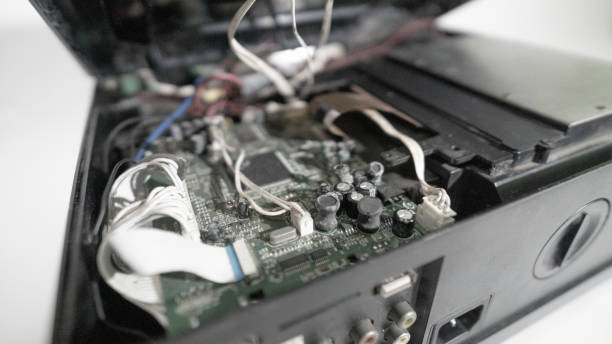
Below are the symptoms for which people most often bring in audio equipment. For each one we indicate what is likely, what you can safely check yourself and what we do at the service point. Amplifiers contain dangerous voltage and charged capacitors, so do not open the casing – bring the device in for diagnostics.
01from 40 €
The audio amplifier does not turn on
WhyThe most common cause is burnt-out power supply parts: a fuse, rectifier, switching transistors or dried-out electrolytic capacitors. Sometimes only a damaged power cable or socket is to blame.
Check it yourselfTry a different power outlet and a different power cable. Check that the cable and plug are not damaged. Do not look inside the amplifier – that is a job for a technician.
What we doWe measure the power circuit, find the faulty part and replace it. If the output stage has burnt out as well, we check the entire circuit so that the amplifier does not fail again after the repair.
02from 45 €
The amplifier goes into protection mode (protect)
WhyThe protection is triggered by a short circuit in the speaker wires, a load with too low impedance, or damaged output transistors. Sometimes the problem is DC voltage at the output.
Check it yourselfDisconnect the speakers and turn on the amplifier without a load. If the protection no longer activates, the wire or speaker is at fault; if it still activates without them, the fault is inside the amplifier – bring it in for diagnostics.
What we doWe measure the output stage, replace faulty transistors and rectifier parts, and check the bias settings.
03from 45 €
The amplifier overheats and switches off
WhyCauses: speaker impedance that is too low, gain or bass levels turned up to maximum, poor grounding, clogged cooling vents or a stopped fan. In a car, a power cable that is too thin is also important.
Check it yourselfCheck that the amplifier is not enclosed without air circulation, and reduce the gain and bass levels. Make sure the speaker impedance matches the one specified for the amplifier.
What we doWe clean the interior, replace the cooling fan, thermal paste and faulty power parts, and check the stability of the circuit under load.
04from €40
Power steering amplifier not working
WhyWhen an amplifier stops working, the usual culprits are the power supply, a blown fuse, a broken signal cable or a faulty output stage. Before bringing it in, it is worth determining whether the whole system is silent or only one channel.
Check it yourselfCheck for loose or damaged cables and whether the fuse has blown. If you are not sure, bring the amplifier in for diagnostics.
What we doWe diagnose the power supply, signal path and power stage, then replace the damaged parts. We tell you the price before the repair.
05from 25 €
Speaker crackles, hisses or produces distorted sound
WhyMost often the driver’s diaphragm suspension starts to crumble, the voice coil burns out, contacts wear out or the filter capacitors dry out. Learn more in the article why speakers crackle.
Check it yourselfCompare the sound with another source and another cable, and turn the volume down. If it crackles only at a certain point, do not press the diaphragm with your fingers.
What we doWe check the driver and the crossover filter, replace the faulty speaker or capacitors, and re-solder the contacts.
06from 40 €
One channel is silent or plays more quietly
WhyUsually the cause is a single faulty output channel or an oxidized balance or volume potentiometer, and sometimes simply a bad cable or a broken speaker wire.
Check it yourselfSwap the left and right cables. If the same channel stays silent, the amplifier is at fault; if the other side does, it is the cable or speaker.
What we doWe clean or replace the potentiometer, and check and replace the channel’s power components and switches.
07from 40 €
Speaker is completely silent or plays only intermittently
WhyIn an active speaker, the internal amplifier or power supply unit often fails; in a passive one, the driver or a broken internal wire. In Bluetooth models, the battery or module may also fail.
Check it yourselfTry another source and another cable. Do not disassemble the battery of a portable speaker; if it is swollen, hot or damaged, do not charge it and bring the speaker in for diagnostics.
What we doWe determine which unit is dead: the power supply, the amplifier or the speaker driver, and repair or replace the specific component.
08from 20 €
Broken or loose socket
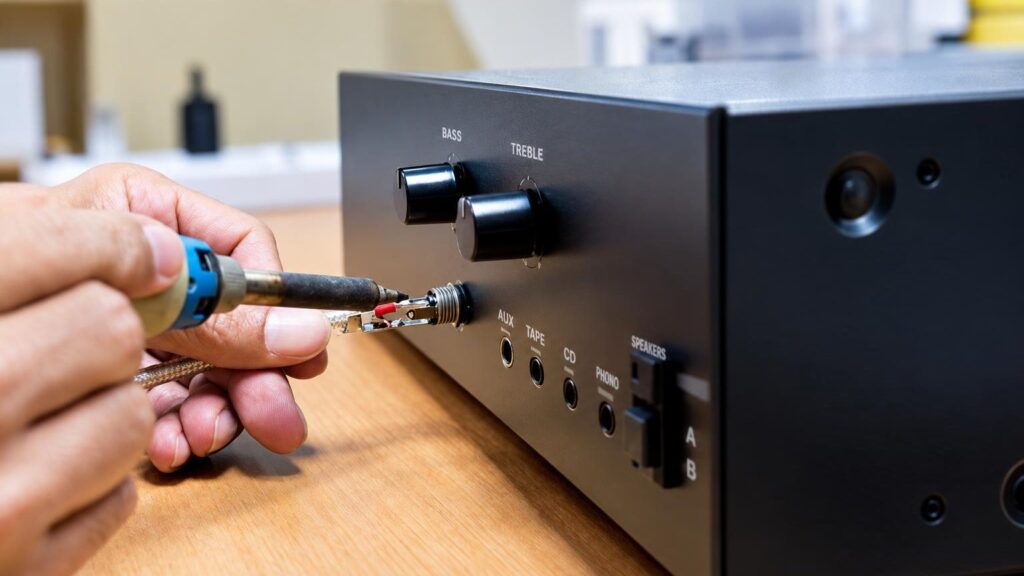
WhySockets (headphone, RCA, optical, speaker terminals) most often break off from pulling the cable or frequent plugging in. The solder joints crack and the contact starts to cut out.
Check it yourselfDo not move the cable in the socket like a lever and do not try to force it in. Try another input if you have one.
What we doWe desolder the old socket, restore the board traces if necessary and solder in a new one.
09from 35 €
Car stereo does not turn on or show a display
WhyThe causes: a broken power cable, a blown fuse, a faulty internal power converter or a display connector. Learn more about car audio equipment – the most common car audio equipment problems.
Check it yourselfCheck whether the car’s fuse for the stereo has blown. Do not connect or disconnect the electrical wiring or the battery yourself – that is a job for technicians.
What we doWe diagnose the power supply and control board, and repair the power converter, connectors or display circuit.
10from 55 €
Home theater system with no sound or no picture
WhyOften the cause is an HDMI socket, a faulty receiver chip module, copy protection or settings. For more details, see the article why HDMI does not transmit sound.
Check it yourselfTry another HDMI cable and another input, select output via HDMI ARC or an optical cable on the TV, and check the audio format setting.
What we doWe check the HDMI board, amplifier module and power supply, and replace sockets or faulty chips.
11from 40 €
Humming or background noise from the speakers
WhyMost often it is a ground loop, poor shielding or dried-out power filter capacitors. In cars, the noise often changes with engine revs.
Check it yourselfDisconnect the sources one at a time and see when the noise disappears. Try another socket or another cable.
What we doWe identify the source of the noise, replace the filter capacitors, and repair the signal and ground circuits.