Diagnostics €10 · no registration required

Hyundai navigation map update

Navigation map update for Hyundai cars: the latest maps of Lithuania (detailed) and Europe for USB and CD systems with a 1-year warranty.

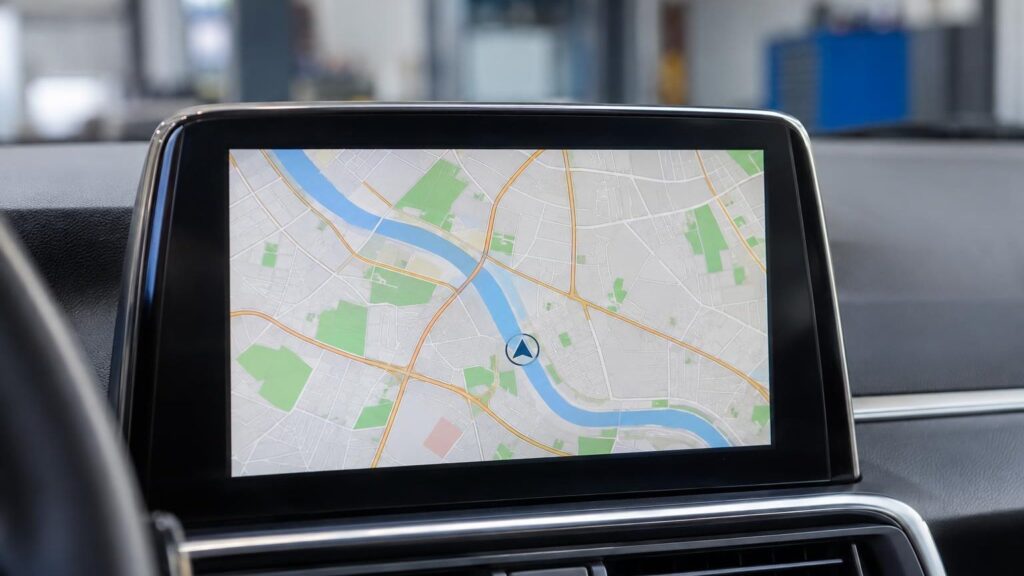
Hyundai car navigation screen with a map 10 €Initial diagnostics Warranty on work
10 €
Initial diagnostics
Vilnius, Kaunas, Klaipėda
Where we update

4 service points – bring it to the nearest one

  1. Vilnius Kareivių g. 11A, Žirmūnai +370 679 74770
  2. Каунас Baltijos g. 58, Šilainiai +370 656 95553
  3. Клайпеда Sausio 15-osios g. 13 +370 617 77731
  4. Šiauliai Gegužių g. 30, PC „Arena“ +370 659 83704
  • No appointment needed
  • Diagnostics €10
  • Mon–Fri 9–18
  • All contacts

A navigation map update for your Hyundai is needed when the system does not know about new streets, roundabouts or motorway sections and gives incorrect directions. We update maps for systems that use a USB drive or CD discs, and Lithuania is loaded in detail.

Below you will find which Hyundai models are suitable, how to recognise outdated maps and what is worth knowing before you come. If you cannot find your car make here, see the general navigation update page.

  • How much does an update cost? Maps for CD systems start from 40 €, maps of Lithuania and Europe for USB systems start from 60 €. We will tell you the exact price based on your model.
  • Do I need an appointment? No. Come to our service point in Vilnius, Kaunas or Klaipėda during working hours Mon–Fri 9:00–18:00; there is no need to call in advance.
  • Is there a warranty? Yes, we provide a 1-year warranty on map updates.
  • Which Hyundai models are suitable? ix35, Santa Fe, ix20, i30 from 2010, i40 and Veloster from 2011 for USB systems; CD systems – cars up to 2010.
What outdated Hyundai maps look like

The most common signs that it is time to update the maps or have the system checked.

01from 40 €

The navigation gives incorrect directions or does not know a new street

WhyThe maps are outdated – new overpasses, roundabouts and street renamings have not been loaded.

Check it yourselfCheck the map version in the system settings menu and compare it with the latest available versions.

What we doWe load the latest maps of Lithuania and Europe onto the storage medium suitable for your system (from 60 € for USB systems, from 40 € for CD).

02from 30 €

Navigation shows the wrong location

WhyThe maps may be outdated, but it could also be a weak GPS signal or a system error. More in the article about incorrect navigation location.

Check it yourselfDrive to an open area without tall buildings and wait a few minutes for the system to find the satellites.

What we doWe diagnose whether the map, the software or the signal reception is at fault. Initial diagnostics costs 10 €. The repair price is given after diagnostics and agreed before the repair.

03from 15 €

The system does not detect the USB drive

WhyThe storage device may have been formatted with an unsuitable file system, or the files may have been saved in the wrong location.

Check it yourselfTry a different USB port, if there is more than one, and make sure the storage device is not damaged.

What we doWe prepare the storage device according to your model’s requirements and load the maps.

04from €40

Navigation disc cannot be read

WhyThe CD may be scratched or may not be suitable for your system version. Older systems require several discs, divided by country.

Check it yourselfInspect the disc for scratches and check that it is intended for your region.

What we doWe select the necessary discs and load the maps. If the slot or the reader is faulty, we determine this during diagnostics.

05from 30 €

The system freezes or restarts after an update

WhyMost often the map version does not match the system software version, or the update was interrupted.

What we doWe check the versions and reinstall the software and maps.

06from 40 €

A European country map is missing

WhyOlder discs are divided by region, so the disc for the country you need may simply not be in the set.

What we doWe advise which disc or map package is worth choosing for your travels.

Hyundai navigation update prices

Map updates and related work for Hyundai cars.

Diagnostics

ServicePriceWarranty
Initial diagnostics10 €–

Maps

ServicePriceWarranty
CD map installation (Lithuania and Europe)from 40 €12 months
Lithuania and Europe map update for USB systemsfrom 60 €12 months
USB storage device preparationfrom 15 €–

Software

ServicePriceWarranty
Navigation software reinstallationfrom 30 €–
Prices are indicative; we agree on the exact amount after diagnostics and before starting work.

Myths about navigation updates

  • Myth. The maps update by themselves. In fact. In USB and CD systems, maps are changed by loading a new storage device or discs, not automatically.
  • Myth. Any USB flash drive and any files will do. In fact. The maps must match your system version, and the storage device must be properly prepared, otherwise the system will not recognise it.
  • Myth. Updating erases the car’s settings. In fact. Loading maps usually does not change the car’s other settings.

Which Hyundai systems we update

For USB systems, the maps are suitable for Hyundai ix35, Santa Fe, ix20, i30 from 2010, i40 and Veloster from 2011. Maps of Lithuania (detailed) and the following countries are loaded: Ireland, Andorra, Austria, Belgium, Czech Republic, Denmark, Great Britain, Estonia, Gibraltar, Greece, Spain, Italy, Croatia, Liechtenstein, Latvia, Poland, Luxembourg, Monaco, Norway, the Netherlands, Portugal, France, Russia, San Marino, Slovakia, Slovenia, Finland, Sweden, Switzerland, Vatican City, Hungary and Germany.

CD systems („Turn by Turn”) – for various Hyundai models before 2010. The maps are divided into 11 discs by region, and the third disc contains detailed maps of Lithuania, Latvia, Estonia and Poland.

If you are not sure about your system type, you can come to the service centre during working hours and we will check the system. For more details about the process, read the article how to update car navigation.

Navigation update in Kaunas – a technician checks a navigation unit at the Šilainiai service centre

When maps are worth updating

If the system does not know about new roundabouts or motorway sections, guides you where the road no longer exists, or does not show new streets, it is time to update the maps.

How maps are loaded into the system is described in the article how to install new maps in navigation.

Optional tips before you come

  • It is useful to know the car’s model and year of manufacture – it makes it easier to determine the system type
  • If you have a USB storage device or CDs, you can bring them with you
  • If you noticed when the problem appeared, it helps with diagnostics
  • You can come at any time during working hours Mon–Fri 9:00–18:00, no appointment needed

From arrival to pick-up

  1. Come to the service centre. In Vilnius, Kaunas or Klaipėda, Mon–Fri 9:00–18:00. No appointment needed.
  2. We identify the system. We check the model, system type and map version. The initial diagnostics cost 10 €.
  3. We agree on the price. The repair price is given after diagnostics and agreed before the repair.
  4. We upload the maps. We install the latest maps and check that the system recognises them.
  5. You collect it with a warranty. Map updates come with a 1-year warranty.

Customers often ask about Hyundai navigation

Can navigation be updated for free?

At our service centre, the update is paid, and the price depends on the type of system. Some systems have their own manufacturer updates, but older models often don’t have them.

Do you update navigation systems in Šiauliai?

Hyundai map updates are currently carried out at the Vilnius, Kaunas and Klaipėda service centres.

How much does an update cost in Kaunas?

The price in Kaunas is the same as at our other service centres: CD maps from 40 €, USB from 60 €.

What is the difference between USB and CD systems?

For USB systems, the maps are written to a storage device, while for CD systems they are written to several discs by region.

Other car brands

Professional navigation update – prices, process and service points

Is your device broken?

Give us a call – we will tell you what we can do and how long it will take.

Call Find a service point