Diagnostics €10 · no registration required

Printer repair: Vilnius, Kaunas, Klaipėda, Šiauliai

Printer repair for laser, inkjet and multifunction devices: first, for €10 we determine the cause of the fault, and only then do we tell you the repair price.

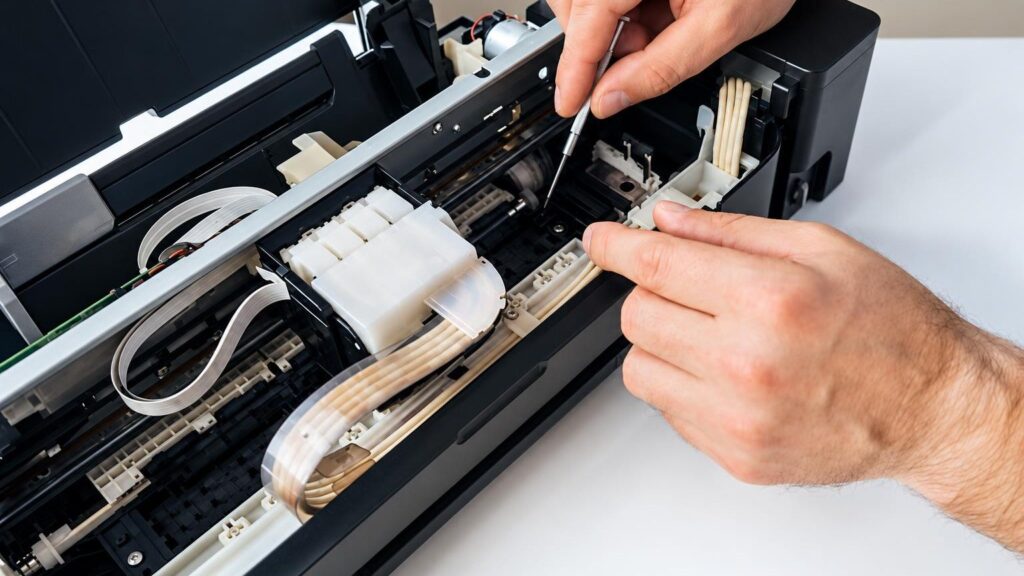
A technician repairs a printer at an elMeistrai service point + multifunction devicesWe repair laser and inkjet Warranty on work
+ multifunction devices
We repair laser and inkjet
10 €
Initial diagnostics
After diagnostics
Repair price

4 service points – bring it to the nearest one

  1. Vilnius Kareivių g. 11A, Žirmūnai +370 679 74770
  2. Каунас Baltijos g. 58, Šilainiai +370 656 95553
  3. Клайпеда Sausio 15-osios g. 13 +370 617 77731
  4. Šiauliai Gegužių g. 30, PC „Arena“ +370 659 83704
  • No appointment needed
  • Diagnostics €10
  • Mon–Fri 9–18
  • All contacts

Printer repair usually starts with the question of whether the fault is mechanical, electronic, or whether the device simply needs cleaning and adjusting. The price depends on this: cleaning the paper path costs considerably less than replacing the main board or the fuser unit of a laser printer. That is why we diagnose first and give the price only once we know the specific cause.

Your device may not pick up paper, may leave streaks, show an error, or not turn on at all. Below are the most common symptoms, what you can check yourself and what a technician does at the service point. If you need your printer every day, simply bring it to the nearest elMeistrai service point during opening hours.

  • How much does diagnostics cost? The initial diagnostics costs 10 €. We tell you the repair price after diagnostics and agree on it with you before we start repairing.
  • Do I need to book in advance? No. There is no need to book or call – bring your printer to any service point in Vilnius, Kaunas, Klaipėda or Šiauliai Mon–Fri 9:00–18:00.
  • When will I find out the repair price? After diagnostics, once we know the cause of the fault and the parts required. We do not start the repair without your consent.
  • Is it worth repairing a printer? It depends on the fault, the age of the device and the price of a new similar model. After diagnostics, we tell you what has failed and how much the repair would cost.

Printer repair: what the symptoms indicate

Below are problems phrased the way people most often search for them. For each one, we indicate what most likely happened, what you can check yourself and what the technician does.

01from 35 €

Printer not working

WhyThe cause can range from simple (lost connection, stuck print queue, empty tray) to serious (a faulty power supply unit or main board). If the device shows no signs of life at all, the power electronics are most often to blame.

Check it yourselfCheck that the cable is firmly plugged into the socket and the device, and try a different socket. Turn the printer off, wait a few minutes and turn it on again. Check that this printer is selected on your computer and that the queue is not paused.

What we doWe diagnose the power circuits, the board and the sensors, determine whether the fault is hardware or software related, and provide the repair price.

02from 25 €

Printer does not pick up paper

WhyMost often the paper pickup rollers are worn or dusty and lose their grip on the sheet. Sometimes the cause is damp or creased paper, an overfilled tray or a damaged separation mechanism.

Check it yourselfRemove the paper, flatten it, keep the pack in a dry place and do not fill the tray to the edges. With a lint-free damp cloth (device switched off and unplugged from the mains) you can wipe the visible part of the roller. Read more in the article on paper not being detected.

What we doWe clean the paper path, replace the pickup and separation rollers, and check the paper sensors.

03from 20 €

Paper jams

WhyScraps of paper stuck at the edge, worn rollers, unsuitable paper or a layer of dust on the sensors. If the jam always happens in the same place, this points to mechanical damage.

Check it yourselfPull the sheet out slowly in the direction of the paper path, and do not use force or sharp tools. Check that no torn-off piece remains inside. Read more about the causes of paper jams.

What we doWe remove the stuck parts, clean the mechanism, and replace broken gears and rollers.

04from 25 €

The printer does not print in black

WhyIn an inkjet device, the print head is most often clogged or the ink has dried out. In a laser one, the toner is running out, or the drum or cartridge contacts are faulty.

Check it yourselfRun the built-in head cleaning function and print a test page, but do not repeat the cleaning more than 2–3 times in a row. Check that the black ink or toner has not run out. Read more – what to do when it does not print black.

What we doWe clean or replace the head, and check the drum, the charging components and the cartridge contacts.

05from 45 €

Printer prints faintly, with streaks or smudges

WhyIn a laser device, smudges and streaks are often caused by a worn drum, a dirty cleaning blade or a damaged fuser unit. In an inkjet, streaks appear because of clogged nozzles.

Check it yourselfCheck the paper type in the print settings and try a different pack of paper. If you have a spare cartridge, try installing it. Read more about a faint laser printer print.

What we doWe determine which unit is at fault: the cartridge, drum, fuser unit or head, and replace only what has failed.

06from 20 €

Printer does not detect the cartridge or ink

WhyOften the cause is dirty cartridge contacts, an incorrectly installed cartridge, an incompatible chip or a faulty ink level sensor. After refilling a cartridge, the counter sometimes needs to be reset.

Check it yourselfRemove the cartridge and reinsert it until you hear a click. Without touching the contacts, check whether they are dirty. Read more in the article printer does not detect the cartridge.

What we doWe clean and check the contacts, check the cartridge slot and sensors, and restore the firmware if the error is software-related.

07from 35 €

The printer shows an error and stops

WhyAn error code may indicate a paper jam, a fuser unit that failed to heat up, a jammed carriage movement or a faulty sensor. The same error can have different causes in different models.

Check it yourselfWrite down the error code and the model. Unplug the device from the mains for a few minutes and restart it. If the error keeps recurring, do not switch it on repeatedly in a row.

What we doUsing the code and measurements, we find the real cause: we replace the sensor, carriage parts or fuser unit, or repair the board.

08from 35 €

The printer does not turn on

WhyMost often it is a burnt-out power supply unit, a damaged cable or a short circuit on the board. After a thunderstorm or a voltage surge, the power supply assembly may also fail.

Check it yourselfTry a different outlet and a different cable, if it is detachable. Do not open the device housing – there are mains-voltage circuits inside.

What we doWe measure the power circuits, repair or replace the power supply unit, and check whether the main board is damaged.

09from 20 €

The printer is not reachable over Wi-Fi or prints very slowly

WhyThe most common cause is a changed router or password, an outdated driver or a weak signal. Sometimes the printer’s own Wi-Fi module fails.

Check it yourselfMove the printer closer to the router, restart both devices, and check that the computer is connected to the same network. We described more complex network cases in the article on network printer configuration.

What we doWe restore the firmware, reconfigure the network connection from scratch, and check the Wi-Fi module.

10from 35 €

The multifunction device no longer scans or copies

WhyIf printing works but the scanner does not, the cause is the scanning module, a broken flat cable, a dirty glass or the ADF document feeder mechanism.

Check it yourselfClean the scanner glass without using too much liquid, and remove paper clips and other small objects from the document feeder. For more about the feeder, read about the multifunction printer ADF scanner.

What we doWe diagnose the scanning assembly, replace cables, rollers or sensors, and repair the board when necessary.
Printer repair prices

Indicative prices for the most popular printer repair jobs.

Diagnostics

ServicePriceWarranty
Initial diagnostics10 €–

Paper and mechanics

ServicePriceWarranty
Cleaning the paper path and removing jammed partsfrom 20 €–
Replacing paper pickup rollersfrom 25 €–

Print quality

ServicePriceWarranty
Cleaning the inkjet printer headfrom 25 €–
Replacing the drum or fuser unit of a laser devicefrom 45 €–

Electronics and software

ServicePriceWarranty
Power supply unit repair or replacementfrom 35 €–
Mainboard repairfrom 50 €–
Firmware restoration and network setupfrom 20 €–
Prices are indicative only and may vary depending on the model and the complexity of the fault. We give the exact repair price after diagnostics and agree on it before starting work.

Is it worth repairing? Calculate in 10 seconds

Enter the numbers and we will show whether the repair is worthwhile. We will tell you the exact repair price after diagnostics (10 €).

Myths about printer repair

  • Myth. It is best to rip out jammed paper as quickly as possible. In reality. Pulling abruptly often leaves scraps inside or breaks a gear. The sheet should be pulled slowly in the direction in which it moves during printing.
  • Myth. If the printer does not turn on, the main board has probably failed. In reality. Simpler things are often to blame: the cable, the power supply unit or the socket. The exact cause is determined by diagnostics.
  • Myth. Refilled or non-original ink always ruins the printer. In reality. Problems are caused by poor-quality ink or toner and sloppy refilling, when the head clogs or the toner spills. A neatly refilled cartridge usually does not harm the device.
  • Myth. If the printer shows an empty cartridge, it must be replaced. In reality. Sometimes the cartridge still contains ink, but the counter, dirty contacts or the chip are at fault. Before buying a new cartridge, try the device with another one or clean the contacts.

Repair or buy a new one: simple logic

The easiest way to make the decision is to consider three things: the repair price, the age of the device and the cost of consumables. If the repair price is close to the price of a new similar device and the printer is old, it is usually wiser to buy a new one.

On the other hand, multifunction laser devices, office printers or models with expensive original cartridges are repaired more often, because new devices of this kind cost considerably more. After diagnostics, we tell you what failed and how much the repair will cost, and we let you decide.

  • A mechanical fault (rollers, gears) is usually inexpensive, and repairing it is most often worthwhile.
  • Drum or fuser unit – it is often worth repairing these on laser and multifunction printers.
  • Main board of an old home inkjet printer – often worth repairing only when the repair is cheap.

Technician’s tip: before throwing out your printer, bring it in for diagnostics – for €10 you will find out the real cause of the fault and the repair price.

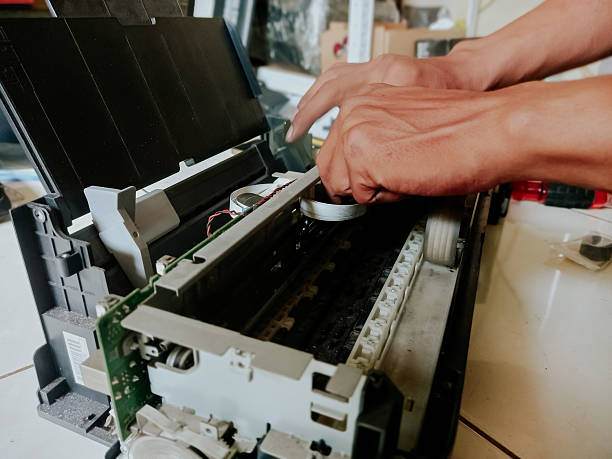
Inside of a laser printer with a drum and paper rollers

Which printers are repaired most often

The most commonly used devices in Lithuania are HP, Canon, Epson and Brother – from home inkjet printers to office laser multifunction models. Faults are similar across different manufacturers: paper feeding, print quality, power supply, network connection.

Parts availability and the repair price depend on the specific model, so we can give exact answers only after inspecting the device. Bring it with all of its cables so that we can switch it on and test it.

If you only need cartridges, not a repair, see the cartridge refilling service.

How to make your printer last longer

Most printers break down not because of old age, but because of dust, damp paper and rarely used inkjet printheads. Use an inkjet printer at least once a week, otherwise the ink dries out and clogs the nozzles. We described how to care for printheads properly in the article on printhead care and cleaning.

Keep paper in a dry place, use paper of a weight suitable for your printer, and occasionally remove dust from the casing. When choosing a new device, it is worth reading the home printer buying guide.

  • Do not leave paper in the tray for long in a damp room.
  • Do not unplug an inkjet printer from the mains – use only the button.
  • Do not use sharp tools when paper gets jammed.

Technician’s tip: if the printer has been standing unused for a long time, print a small test page before a large print job.

Before bringing in your printer

  • Take the power cable and, if you have one, the USB cable.
  • Write down the error code or message shown by the device.
  • Remember when and under what circumstances the fault appeared.
  • Remove the paper from the tray.
  • If the device is a multifunction printer, remove the originals from the scanner and the document feeder.
  • Take your proof of purchase if you need a certificate for insurance.

From drop-off to pick-up

  1. You bring in the printer. Come to any elMeistrai service point in Vilnius, Kaunas, Klaipėda or Šiauliai Mon–Fri 9:00–18:00. There is no need to register or call in advance.
  2. You describe the fault. Tell us how the printer behaves and when it started. This helps the technician find the cause faster.
  3. Diagnostics for €10. The technician checks the mechanics, electronics and software, and determines the cause of the fault.
  4. We agree on the price. We tell you what is broken and how much the repair will cost. We start the repair only with your consent.
  5. Repair and warranty. We use original parts and provide a warranty for the work carried out. If needed, we issue a certificate for the insurance company.
  6. You collect the device. Come to the same service point to collect your repaired printer.

Customers often ask about printer repair

Do you repair printers in Kaunas, Klaipėda and Šiauliai?

Yes, printer repair is carried out at all four service points: in Vilnius, Kaunas, Klaipėda and Šiauliai. The initial diagnostics costs €10 everywhere.

Can I bring a printer from Panevėžys, Alytus or Mažeikiai?

We have service points only in Vilnius, Kaunas, Klaipėda and Šiauliai. You can bring your printer to the nearest one during working hours.

Do you repair Epson, Canon, HP and Brother printers?

We repair laser, inkjet and multifunction devices. Parts availability and price depend on the specific model, so we give an exact answer after diagnostics.

Do you issue a certificate for insurance?

Yes, we issue certificates for insurance companies and other institutions. Please mention this when you bring in the device.

Do you refill printer cartridges?

Yes, we also provide a cartridge refilling service. Read more on the cartridge refilling page.

What our customers say

All reviews
  • Dovilė Sabaliauskienė

    August 2026 · Google

    Sincerest thanks to the technician from Šiauliai and the highest recommendations to the entire elMeistrai staff in Kaunas. ⭐⭐⭐⭐⭐

  • Milena Tulickaite

    December 2025 · Google

    Fast, high-quality, polite and clear☺️

  • Gytenis Mikulenas

    2025 · Google

    Excellent service! Instead of paying 1K to Apple certified dealer service for replacing broken Macbook mainboard, elmeistrai did it for much much cheaper!

  • Raimondas Bakšys

    2025 · Google

    I bring in all kinds of equipment for repair and they always fix it quickly, well and at a fair price. Thank you! …

Is your device broken?

Give us a call – we will tell you what we can do and how long it will take.

Call Find a service point