Diagnostics €10 · no registration required

Infiniti navigation map update

Infiniti navigation map update for Connect Premium X7 and X9 systems: Lithuanian and European maps, 1-year warranty, initial diagnostics 10 €.

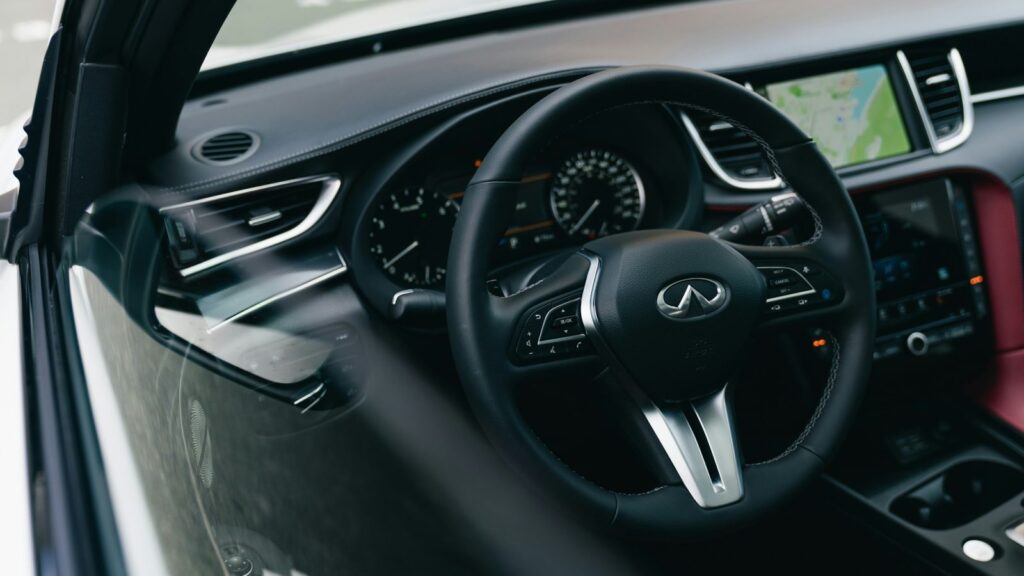
Infiniti car navigation screen with a map Connect Premium X7, X9Systems Warranty on work
Connect Premium X7, X9
Systems
10 €
Initial diagnostics
9:00–18:00
Working hours (Mon–Fri)
1 year
Warranty on maps

4 service points – bring it to the nearest one

  1. Vilnius Kareivių g. 11A, Žirmūnai +370 679 74770
  2. Kaunas Baltijos g. 58, Šilainiai +370 656 95553
  3. Klaipėda Sausio 15-osios g. 13 +370 617 77731
  4. Šiauliai Gegužių g. 30, PC „Arena“ +370 659 83704
  • No appointment needed
  • Diagnostics €10
  • Mon–Fri 9–18
  • All contacts

If you are looking for a place to get a navigation map update for your Infiniti, at elMeistrai service centres in Vilnius, Kaunas, Klaipėda and Šiauliai we install the latest maps of Lithuania and Europe for Connect Premium X7 (Xanavi) and X9 systems. Lithuania is shown in detail on the map, and the list of European countries runs from Ireland to Turkey.

This page is only for Infiniti. You can find general information about systems of other brands on the main navigation update page.

  • How much does the update cost? The initial diagnostics costs 10 €. We tell you the exact update price after the diagnostics and agree on it before we start work.
  • How long does the installation take? For the X9 system, installing the maps takes about 2.5 hours. The car must be running and stationary the whole time.
  • Do I need to make an appointment? No. You don’t need to call before coming – just visit any service centre Mon–Fri 9:00–18:00.
  • What warranty do I get? The map update comes with a 1-year warranty.
What the symptoms show: when it is time to change your Infiniti map

An outdated map is usually given away by a few clear little things. Here is what they look like from the driver’s point of view.

01

The navigation doesn’t know about new roads and roundabouts

WhyThe map was installed several years ago, so new junctions, bypasses and intersections may not be marked on it.

Check it yourselfCompare your usual route with a phone app – the differences will show how far behind the map is.

What we doWe install the latest version of the Lithuania and Europe maps for your system.

0210 €

The car is driving across fields or „off the road”

WhyAn outdated map doesn’t include newly built streets. Sometimes the problem is a weak GPS signal rather than the data – we write about this in the article why navigation shows the wrong location.

Check it yourselfDrive to an open area without tall buildings and see whether the position settles.

What we doWe run diagnostics: we distinguish between a data problem and a GPS antenna problem, then offer an update or an antenna repair.

03

It doesn’t show new traffic changes

WhyOlder map versions may lack newer traffic changes. This is a common sign of the map’s age.

What we doWe install the latest map version for your system.

0410 €

The system doesn’t detect the disc or shows an error

WhyThe disc may be dirty or scratched, the optical reader worn out, or there may be a software error.

Check it yourselfWipe the disc with a soft cloth from the centre to the edges and make sure it is inserted correctly.

What we doWe check the disc and the reader, clean or repair them if necessary, and then install the maps.

0510 €

The navigation screen dims or doesn’t respond to touch

WhyMost often the screen sensor wears out or the contacts deteriorate. This is a separate problem from a map update.

What we doWe diagnose the screen and the control board and replace the faulty part.

0610 €

I’m not sure whether my model is suitable for an update

WhySpecific Infiniti EX, FX, G, M, QX56 and Skyline models and years are listed, but the systems differ.

Check for yourselfLook up your car’s year of manufacture and the system name in the menu.

What we doWe check the system and tell you whether the map set is suitable for it.

Navigation map update prices for Infiniti cars

The initial diagnostics cost 10 €, and we tell you the update or repair price after it.

Diagnostics

ServicePriceWarranty
Initial diagnostics10 €–

Map updates

ServicePriceWarranty
Connect Premium X7 (Xanavi) – maps of Lithuania and Europe, 1 discafter diagnostics1 yr.
Connect Premium X9 – maps of Lithuania and Europe, 4 discsafter diagnostics1 yr.

Equipment repair

ServicePriceWarranty
Repair of the optical reader, GPS antenna or screenafter diagnostics–
Cleaning or adjustment of the optical readerfrom 40 €–
GPS antenna replacementfrom 40 €–
Navigation screen or sensor replacementfrom 150 €–

Software

ServicePriceWarranty
Fixing system software errorsfrom 50 €–
We tell you the exact amount after the diagnostics (10 €) and agree on it before starting work.

Myths about updating Infiniti navigation

  • Myth. You can download the maps from the internet and install them yourself. In fact. These systems use discs with maps, and non-original or unsuitable files can disrupt the system’s operation. It is safer to entrust the installation to a technician.
  • Myth. Updating the map will also get rid of GPS problems. In fact. The map only shows the roads, while the position is determined by the GPS receiver. If the position is displayed incorrectly, diagnostics are needed first – they cost 10 €.
  • Myth. The engine can be switched off during installation. In fact. No. When installing maps on the X9 system, the car must be running the entire time and must not be driven.

Which Infiniti systems we update

The Connect Premium X7 (Xanavi) set consists of 1 disc. It is suitable for Infiniti EX, FX, Skyline and Skyline Coupe.

The Connect Premium X9 set consists of 4 discs. It is listed for Infiniti EX and FX (2008–2012), G Coupe, G Sedan and G Convertible (2010–2012), M and QX56 (2011–2012).

  • Lithuania – detailed map
  • Europe: from Ireland, France and Germany to Greece, Turkey and Finland
  • The maps come with a 1-year warranty
Navigation map disc and car system

Whether it’s worth updating or using a phone

A phone app is convenient, but integrated navigation shows the route directly on the instrument panel and works without a mobile connection.

Read more about the process in the article how to update your car’s navigation.

The most important things about the update

  • No need to book in advance
  • Service points are open Mon–Fri 9:00–18:00
  • The initial diagnostics cost 10 €
  • We agree on the price before starting work
  • When installing maps on the X9 system, the car must be running and must not be driven

From arrival to pick-up

  1. Come to a service point. Choose any service point in Vilnius, Kaunas, Klaipėda or Šiauliai Mon–Fri 9:00–18:00. No booking required.
  2. Diagnostics. We check the system and the map version. The initial diagnostics cost 10 €.
  3. Price agreement. We tell you the final price and agree on it before starting work.
  4. Map installation. We install the maps of Lithuania and Europe. In the case of the X9, the car must be running the entire time.
  5. Inspection and warranty. We check that the system shows the new maps and provide a warranty for the work performed.

Customers often ask about Infiniti navigation

How do I update my car’s navigation?

Infiniti systems use map discs, so it is best to come to the service center. We explain the process and terms on site.

Navigation map update in Kaunas – how much does it cost?

The initial diagnostics cost 10 €. We give the exact update price after the diagnostics and agree on it before starting work.

Do the maps also cover other countries?

Yes, they cover more than thirty European countries, including Latvia, Poland, Germany, France and Turkey. Lithuania is covered in detail.

Is it suitable for other Infiniti model systems?

We clearly confirm only the X7 and X9 systems. We check any other system during the inspection.

Other car brands

Professional navigation update – prices, process and service points

Is your device broken?

Give us a call – we will tell you what we can do and how long it will take.

Call Find a service point