Diagnostics €10 · no registration required

Opel/Vauxhall navigation update

Opel/Vauxhall navigation update in Vilnius, Kaunas, Klaipėda and Šiauliai: DVD90, CD70, CD500, DVD800 and NAVI 600/900 systems. Initial diagnostics 10 €, the update comes with a 1-year warranty.

Opel car navigation system with a map 10 €Initial diagnostics Warranty on work
10 €
Initial diagnostics
1 year
Warranty for the update
4 cities
Service points
Mon–Fri 9–18
Working hours

4 service points – bring it to the nearest one

  1. Vilnius Kareivių g. 11A, Žirmūnai +370 679 74770
  2. Kaunas Baltijos g. 58, Šilainiai +370 656 95553
  3. Klaipėda Sausio 15-osios g. 13 +370 617 77731
  4. Šiauliai Gegužių g. 30, PC „Arena“ +370 659 83704
  • No appointment needed
  • Diagnostics €10
  • Mon–Fri 9–18
  • All contacts

Updating Opel/Vauxhall navigation depends on which system is installed in your car: some need discs, others need an SD card or an internal hard drive update. That is why we first identify the system type and only then select the right maps of Lithuania and Europe.

Below you will find how to identify your system by the label on the device, which Opel systems and models the update suits, and why the map set depends on the system’s memory.

  • How much does an update cost? The price depends on the system and the set of countries. We give it after diagnostics and agree on it before the work; the initial diagnostics cost 10 €.
  • Do I need to register? No. You do not need to register or call – just come to any service point during working hours, Mon–Fri 9:00–18:00.
  • How do I find out my system? Look at the label at the top right of the device (CD70, DVD90, NCDR) or between the knobs (CD500, DVD800, NAVI 600/900).
  • What warranty is provided? We provide a 1-year warranty for map updates.
When an Opel navigation update becomes necessary

An outdated map is usually given away by a few clear signs. Here is what people see and what it means.

01

Navigation shows the wrong location

WhyMost often the map is simply old: new roads, roundabouts and motorway sections do not exist in it, so the car is shown „off the road”. In rarer cases the GPS signal is to blame. Read more in the article why navigation shows the wrong location.

What we doWe check the system and, if the map is old, install the latest maps of Lithuania and Europe.

02

Navigation does not know new streets and roundabouts

WhyMaps installed at the factory do not change on their own. After a few years, new roads and changed traffic layouts are no longer there.

What we doWe update the maps according to your system: discs, SD card or internal memory.

0310 €

Navigation does not read the disc

WhyIn older CD70, DVD90 or Siemens NCD systems, the disc is read by an optical head. It may be worn out, or the disc may not be suitable for your system version.

Check it yourselfCheck that the disc is clean and not scratched, and that its marking matches the label on the device.

What we doWe determine whether the disc or the reader is at fault and offer a solution.

04

NAVI 600 / 900 does not detect the SD card

WhyThe card may be faulty, the file format may be unsuitable, or the maps may have been written for a different system.

What we doWe prepare and write the suitable maps to the SD card and check that the system detects them.

05

CD500 / DVD800 not enough space for maps

WhyOnly about 500 MB (CD500) or 1.17 GB (DVD800) is free in the internal memory, so you cannot fit all countries. Maps are selected in packages.

What we doWe select the countries you need and update the internal memory without you having to buy a new disc.

06

Menu and voice not in your language

WhyThe system language is set in the software, not in the maps, so changing the maps does not change the language.

What we doFor DVD90 and CD70 systems we can install English, French, German, Spanish, Danish, Italian, Dutch or Swedish.

Opel navigation update prices

The update price depends on your system type and the countries you want on the map.

Diagnostics

ServicePriceWarranty
Initial diagnostics10 €–

Disc-based systems

ServicePriceWarranty
DVD90, CD70, CARiN map updateQuoted after diagnostics12 months
Siemens NCDR / NCDC map updateQuoted after diagnostics12 months
Language installation for DVD90 and CD70 systemsQuoted after diagnostics12 months

Hard drive and SD systems

ServicePriceWarranty
CD500 / DVD800 internal memory updateQuoted after diagnostics12 months
NAVI 600 / 900 update via SD cardQuoted after diagnostics12 months
The update price is quoted after diagnostics and agreed before the work begins.

Myths about updating Opel navigation

  • Myth. One disc fits all Opel cars. In fact. No. Maps differ by system (CD70, DVD90, NCD, CD500, NAVI 600 / 900) and even by year of manufacture.
  • Myth. All of Europe can be installed on a CD500 or DVD800. In fact. The internal memory limit is small: about 500 MB or 1.17 GB is free. For example, the Baltic countries package takes up 135 MB, and Germany 953 MB.
  • Myth. Copying the maps can be stopped by pressing „Cancel”. In fact. During copying the button does not help – the system still completes the process and only then cancels. Copying 1 GB takes about 30 minutes.
  • Myth. New maps can be put on any SD card. In fact. NAVI 600 / 900 requires a suitable 16 GB card with correctly prepared files.

We update the following Opel systems, which are identified by the label on the unit:

If your system is not listed here, come in – we will see what can be done.

  • DVD90 and EHU CD70 / CARiN / SVDO – Astra, Corsa, Meriva, Zafira, Vectra, Signum, Combo and others from 2005.
  • Siemens NCDR / NCDC – older 2000–2006 vehicles (Astra, Corsa, Vectra, Zafira, Frontera, Vivaro).
  • CD500 and DVD800 – Insignia, Astra J and Meriva B, manufactured in 2008–2011.
  • NAVI 600 and NAVI 900 – Astra J, Insignia, Meriva B, Mokka, Cascada, Zafira Tourer 2011–2014.

If next to the CD70 label you also see „NCD”, it is a different system – we check such cases on site.

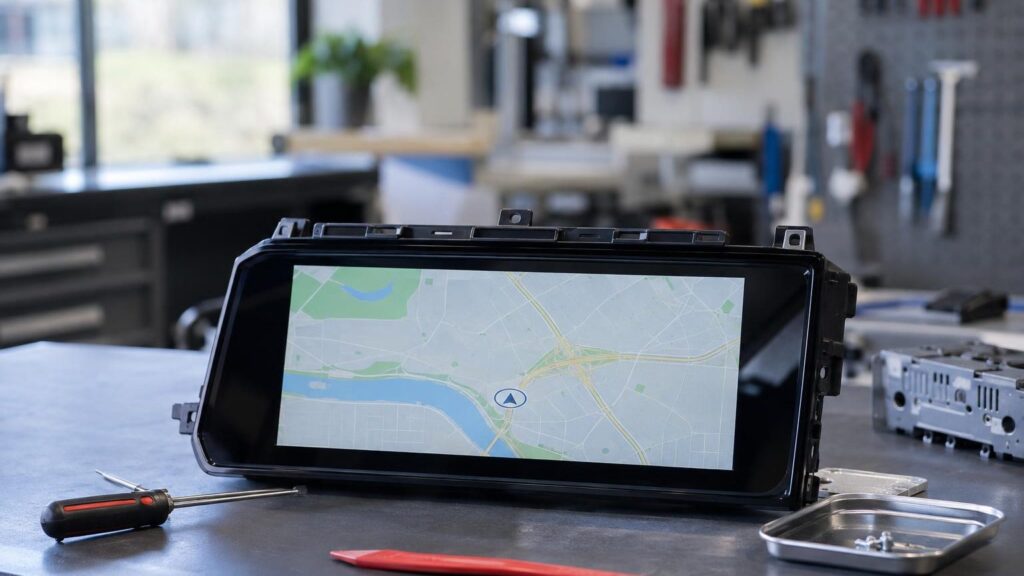
Navigation update in Kaunas – a technician checks a navigation unit at the Šilainiai service centre

CD500 and DVD800: why the VIN code matters

For these systems, the maps differ by year of manufacture. For 2011 vehicles, the 10th character of the VIN code is B, and for 2009–2010 vehicles it is 9 or A. The system will not accept an incorrect map.

If needed, we select only the countries you need and update the internal memory. The process is carried out via the menu Settings → Navigation Settings → Map Data Add / Remove. For more on the general process, see the article how to install new maps.

If you are not sure about your system version, we determine it during the initial diagnostics.

What is worth knowing about your system

  • Check the label on the unit: CD70, DVD90, NCDR, CD500, DVD800 or NAVI 600/900
  • If „NCD” is written next to CD70, it is a different system
  • For CD500 and DVD800, the 10th character of the VIN code (B, 9 or A) is important
  • Think about which countries you travel to most often – not all of them fit in the memory of these systems
  • The update comes with a 1-year warranty

From arrival to map installation

  1. You come to the service point. No appointment is needed – visit any service point Mon–Fri 9:00–18:00.
  2. We identify the system. Based on the label, VIN code and year of manufacture, we determine which navigation system is installed. The initial diagnostics cost 10 €.
  3. We agree on the price. We discuss the set of countries and tell you the final price before starting work.
  4. We update the maps. We write the maps to a disc, SD card or internal memory and check that the system recognizes them.
  5. We complete the work. You receive a 1-year warranty on the update.

Frequently asked questions about Opel navigation

Opel Insignia navigation update – is it possible?

Yes, if your Insignia has a CD500, DVD800 (2008–2011) or NAVI 600/900 (2011–2013) system. We check other versions on site.

Is the update free?

No, a map update is a paid service. We tell you the price after diagnostics and agree on it before the work, and the initial diagnostics cost 10 €.

What is the difference between Opel and Vauxhall navigation?

These are the same cars sold in different markets, so the systems are usually the same as well. The most important thing is the label on the unit.

How else can a car’s navigation be updated?

The methods differ between brands. We review them in general in the article how to update car navigation.

Other car brands

Professional navigation update – prices, process and service points

Is your device broken?

Give us a call – we will tell you what we can do and how long it will take.

Call Find a service point