People describe a fault in different ways: „it doesn’t work”, „it goes in circles”, „it no longer vacuums”. Below we have collected the most common symptoms, their likely causes, and what you can check yourself before bringing in the robot.
01from 45 €
The robot vacuum does not work or does not turn on
WhyMost often the battery is discharged or worn out, the protection system has blocked power-on, or the power circuit on the board has failed. Sometimes the robot „falls asleep” after a long period of not being used, and a deeply discharged battery no longer accepts charging.
Check it yourselfPlace the robot on the dock and leave it for at least an hour. Check whether the dock light is on and whether the plug is firmly inserted into the socket. If there is no reaction at all, do not take it apart any further. More here: robot vacuum not working: most common causes.
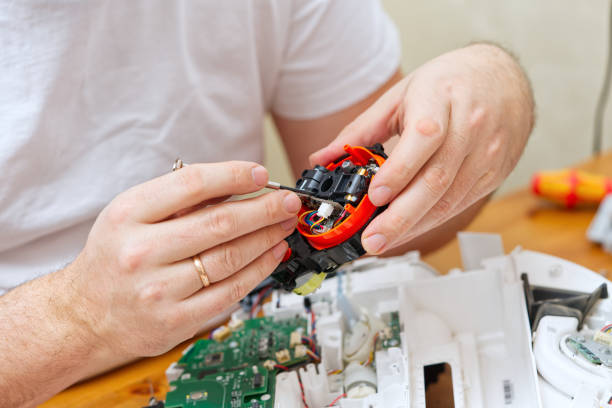
What we doWe test the battery and the power circuit and inspect the control board. Depending on the result, we replace the battery or repair the power section of the board.
02from 25 €
The robot vacuum cleaner does not recharge
WhyDirty contacts under the robot or on the dock, a broken charging socket, a worn-out battery, or a faulty dock power supply. If the robot runs out of charge within a few minutes, the battery is almost always to blame.
Check it yourselfWipe the metal contacts on the robot and the dock with a dry soft cloth. Check that the dock stands on a level surface, not on a carpet, and that there is free space on both sides of it.
What we doWe check whether the problem is in the dock or in the robot. We repair the contacts and the socket, and replace the battery or the components of the board’s charging circuit.
03from 35 €
The robot does not return to the dock
WhyA dirty dock signal sensor, a dock placed under furniture or on a carpet, a faulty infrared receiver, or a misaligned navigation sensor. Another common cause is that the robot can no longer detect walls because of dirty sensors.
Check it yourselfWipe the sensor windows with a dry cloth and place the dock against a wall with at least half a metre of free space around it. You can find more about docks in the article on charging docks and their maintenance.
What we doWe check signal reception, replace faulty sensors, and match the operation of the dock and the robot with each other.
04from 35 €
The robot vacuum has weak suction
WhyA full dust bin, clogged filters and channels, a brush tangled with hair, or a worn suction turbine. If the power does not change after cleaning, the turbine or its bearings are often at fault.
Check it yourselfEmpty the bin, wash or replace the filter, and check that there is no blockage in the suction channel. In more detail: why a robot vacuum has weak suction.
What we doWe clean the entire air path, check the turbine’s speed and current consumption, and if necessary replace the turbine or its seals.
05from 35 €
The robot goes in circles or loses its route
WhyDirty or faulty cliff and wall sensors, a contaminated laser or camera navigation module, or one of the wheels turning more slowly. A robot with a settings error can also repeat the same movement.
Check it yourselfWipe all the sensors and the camera window, and check that the wheels turn freely and that no threads have become tangled in them. More about this problem: why a robot vacuum goes in circles.
What we doWe diagnose the navigation sensors and wheel modules, replace faulty components, and if necessary restore the software and calibrate.
06from 30 €
The robot gets stuck on carpets or the wheels no longer turn
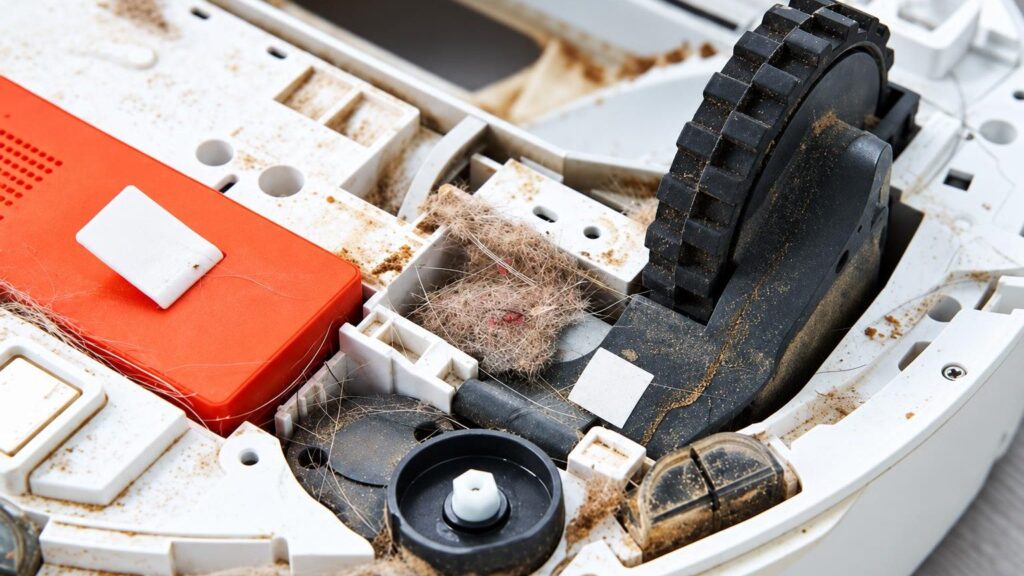
WhyWorn tyres, a jammed wheel gearbox, an overloaded motor, or carpet fringe fibres wrapped around the wheels. Sometimes a weak battery can no longer supply enough current to the motors.
Check it yourselfRemove hair and threads from the wheels, push the wheel by hand and see whether it turns freely. In more detail: robot vacuum gets stuck on carpets.
What we doWe replace the wheel module with its motor or the gearbox, and check the charging current and the battery.
07from 25 €
The robot beeps, a light flashes, or it shows an error
WhyError codes usually point to a specific component: the brush, a wheel, the cliff sensor, the battery or the bin. If the error recurs even after cleaning, the fault is most likely electrical.
Check it yourselfLook up the error code in the app or the manual and check the indicated component: the bin, the brush, the wheels. Restart the robot according to the manufacturer’s instructions.
What we doBased on the code, we test the component with measurements rather than guesswork. We repair sensors, motors, wires and board circuits.
08from 25 €
The robot does not connect to WiFi
WhyMany robots work only on a 2.4 GHz network; sometimes the router settings or a changed password are to blame. If the robot cannot connect even to a phone hotspot, the communication module or the software may be faulty.
Check it yourselfCheck that the router is broadcasting a 2.4 GHz network, and repeat the pairing from the beginning. Step by step: how to connect a robot vacuum to WiFi.
What we doWe update or restore the software and check the communication module and the board.
09from 25 €
The brush is noisy or no longer turns
WhyTangled hair and threads, broken gears, a burnt-out brush motor, or worn bearing bushings. As a result, the robot may not only make noise but also stop with an error.
Check it yourselfRemove the brush according to the instructions, take off any tangled hair and check whether it turns by hand. If it needs replacing, see how to replace robot vacuum brushes.
What we doWe clean the brush cassette and replace the gears, the motor or the entire brush module.